Some context!
Many years ago, when I was working on a team project in a coding bootcamp, I was responsible for handling login functionality (designing the front-end form, sending a login + token request, storing the access token in localstorage, authenticating those requests with the local token).
I barely knew what I was doing at that time, and though I got some things working, I wasn’t able to create a reliable implementation of a login flow. Since then, I’ve been a bit afraid of having signup + authentication be a part of my projects.
Fast forward to today. I’ve been using react for a few years here and there, but am much newer to python (and django). I’m resilient enough to keep pushing, so I wanted to create a web app with some basic features:
- Signup functionality
- Logged in / logged out experience (reflected with nav bar changes)
- Verification email with redirect URL to site
Back end (django + simplejwt)
The basic flow of (this) authentication is:
- client requests authorization using login credentials
- server verifies credentials, returning a token if successful
- client sets authorization header with the returned token for subsequent requests
- when a token expires, a refresh token is used to generate another access token and refresh token pair
For authentication and creating a JSON web token, I used the djangorestframework-simplejwt python package. The basic steps include modifying settings.py and adding url paths to access token + refresh logic.
installation
pip install djangorestframework-simplejwtsettings.py
REST_FRAMEWORK = {
    ...
    'DEFAULT_AUTHENTICATION_CLASSES': (
        ...        'rest_framework_simplejwt.authentication.JWTAuthentication',
    )
    ...
}
urls.py
from django.urls import path
from rest_framework_simplejwt.views import {
    TokenObtainPairView, TokenRefreshView
}

urlpatterns = [
    path('token/', TokenObtainPairView.as_view(), name='token_obtain_pair'),
    path('token/refresh/', TokenRefreshView.as_view(), name='token_refresh'),
]
After these steps, I created a superuser, and tested using a combination of the admin portal (localhost:8000/admin) and postman (to set headers, etc.):
Hit ‘token/’ route using login credentials (in localhost:8000):

This should return an access token and refresh token:
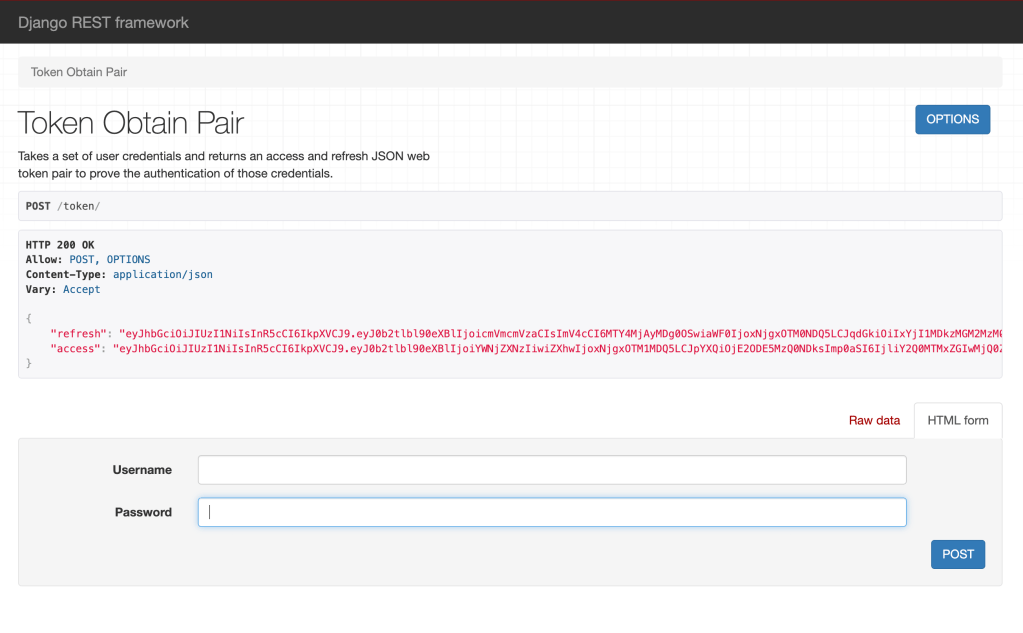
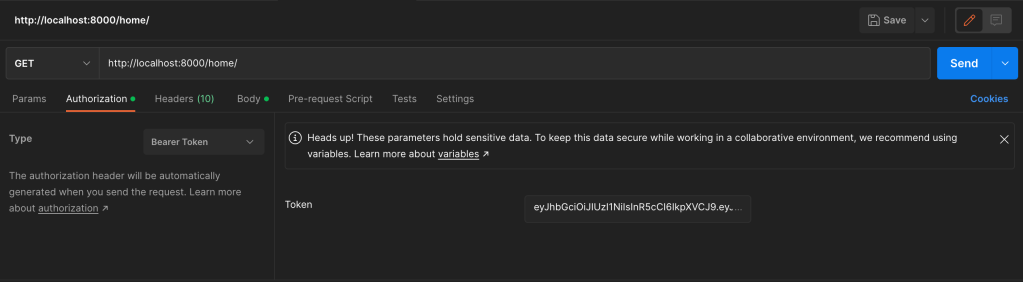
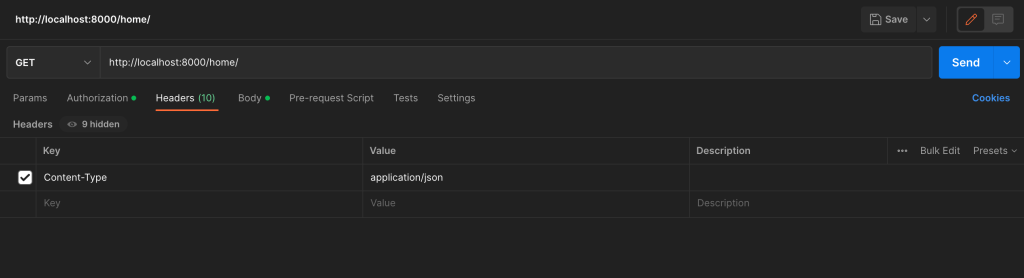
Using the access and refresh values from the response, set appropriate variables in Postman (access token, header, and refresh token in the body).
Authorization | ‘access‘ value from response
Headers | Key: ‘Content-Type’, Value: ‘application-json’
Body | ‘refresh‘ value from ‘token/‘ API call
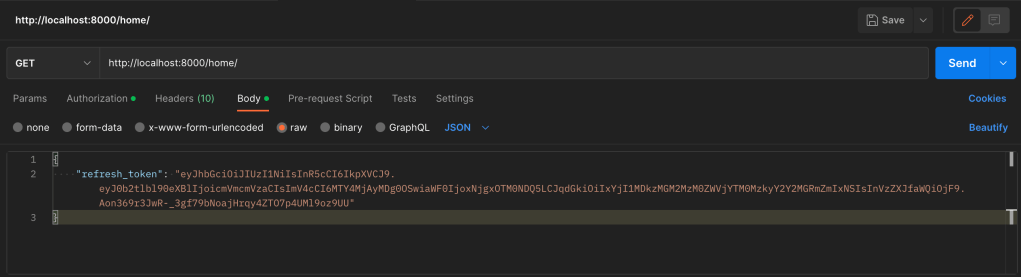
After that, I hit a route to retrieve logged-in information to make sure that the authenticated endpoint works.
Front end (react)
The front end is made up of 3 main pieces:
- Signup
- Login
- Logged-in view
This basic flow works as described below.
A user goes through a sign-up page to sign up for an account.
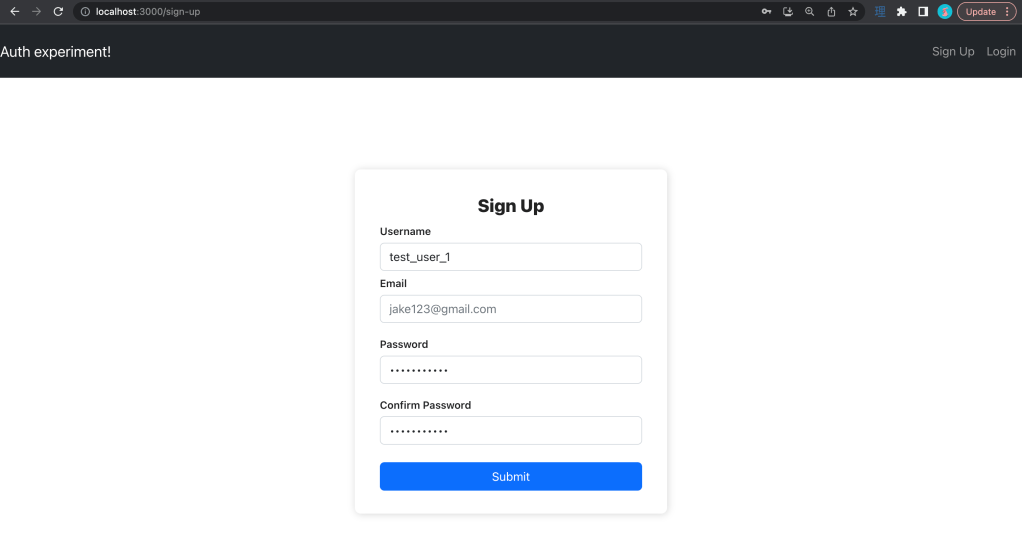
Upon form submission, the user is redirected to the login page with an account verification/activation email sent to the email from the signup form (see email implementation help in sources)

In an email, a user receives an activation link. When clicked, the link takes them to the site and ‘activates’ their account (in other words, is_active on the user model is turned to true)

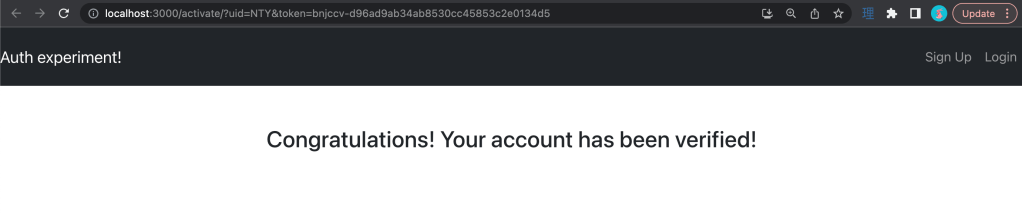
Once an account is ‘activated’ the user can log in. When a user is logged in, they’re taken to a page where the navigation appears different (below).

The signup flow could be orchestrated in many ways, but in this project, I’ve chosen to explicitly turn off the is_active flag on the user model until the user clicks on the redirect link from the email.
A few things to call out
Local storage: so right now, I’m taking the response from the login call and setting a key-value pair for access + refresh token values. I’m changing the navigation bar options based on whether or not the access token is present (and using that token to authenticate subsequent requests). I also have an axios interceptor that checks for expired tokens and tries to access a ‘token/refresh’ endpoint to get a new set of tokens.
Activation redirects: in production, I’d likely use a combination of gunicorn and nginx to serve as a WSGI server + reverse proxy , but in my localhost example, I’m explicitly hardcoding the url. I had to do some finagling to add parameters to the url. Separately, as an additional feature, I could add in logic to handle cases where the link expires or the user somehow lost the first email (perhaps I will in the future).
Signup form validation: as of this writing, I don’t currently have validation on the signup inputs (username, email, and password). There are many libraries that handle this, but this wasn’t in scope for me to get signup + authentication up and running (though, if I decide to work further on this project, I’ll most likely build that in form validation)
Email server: I didn’t know this, but the django.core.mail package contains logic to fire off emails. It was pretty straightforward to configure and use! I was surprised how easy it was to configure, but glad I didn’t have to spend a long time figuring it out. There are a few links around emails in the sources if you’re interested.
Some final thoughts
I’m glad that I could get a straightforward implementation of a basic authentication flow up and running. I think I’ll incorporate elements of this project into other projects going forward.
Django comes with some pretty robust user creation and authentication packages out of the box. I thought a lot about creating my own user models or extending the existing user model. I put a couple of sources down below that helped me think about my options.
The repo can be found here.
Sources:
extending the django user model
customizing the django user model
sending emails with django + google smtp
 Wayne Codes