Recently, I’ve been working on detail cards for individual games. In other words, creating a way to more meaningfully engage with the list of titles presented in the calendar view. Here’s a snippet of it in action:

This post will be split into a few sections:
- Creating the detail popper
- Cover art and data population
- A popover to show hidden games
Creating the detail popper
As a user, I want to interact with a game listed on the calendar to get more information. My first instinct was to use a modal component, but I ultimately decided against this for two reasons: 1. I didn’t want to block scrolling to/clicking on other parts of the page, and 2. I wanted to avoid a component laying on top of the current view.
For context, a popper is a fancy wrapper component to position a popover or tooltip in the UI. The material UI library has a popper component I researched and built on top of for my use case.
To handle clicks on individual items on the calendar, the FullCalendar library exposes an eventClick prop. It comes with a prop, info, that has all of the data related to the event, as well as an HTML reference to the location of the click. Popper requires the anchorEl prop to determine where the pop-up should appear. Without it, the popper will just float in a corner of the screen.
The flow to create a popper on a calendar click event is as follows:
- specify eventClick prop on Fullcalendar component
- define a function with:
- criteria for opening / closing the popper
- the anchor element for the popper
- any data necessary for the popper
When the open prop is true, the popper opens and data is passed to it. The next section talks about displaying data passed to the popper.
Cover art and data population
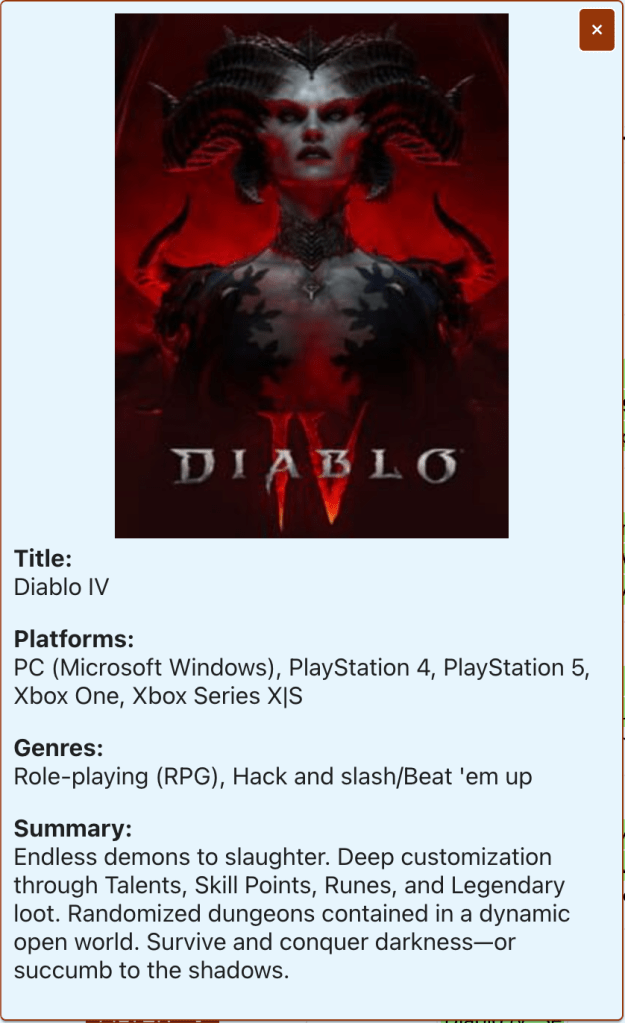
This is a close-up of the detail card in its current iteration. I have game cover art centered at the top, followed by information related to the game. There isn’t too much going on with this card as what is presented is read-only. The most interesting thing that’s going on is fetching the cover art (detailed below).
const fetchImage = async () => {
    if (cover !== undefined && cover.id !== undefined) {
        let replaced = cover.url.replace('t_thumb', 't_cover_big');
        const res = await fetch(`https:${replaced}`);
        const imageBlob = await res.blob();
        const imageObjectURL = URL.createObjectURL(imageBlob);
        setImg(imageObjectURL);
    }
    setLoading(false);
};

useEffect(() => {
    setLoading(true);
    setImg(placeholder_img);
    fetchImage();
}, [cover]);
In the block above (starting with the useEffect hook), as the popper component is created, a loading spinner is displayed and placeholder image loaded as the cover art is fetched. Once loaded, the cover art replaces the placeholder. This usually happens in the blink of an eye, but occasionally you do see the loading spinner for the cover art.
A popover to show hidden games
I wanted a way to gracefully handle days where a ton of games are releasing. In the vanilla component, this is what that (less user-friendly) case looks like:
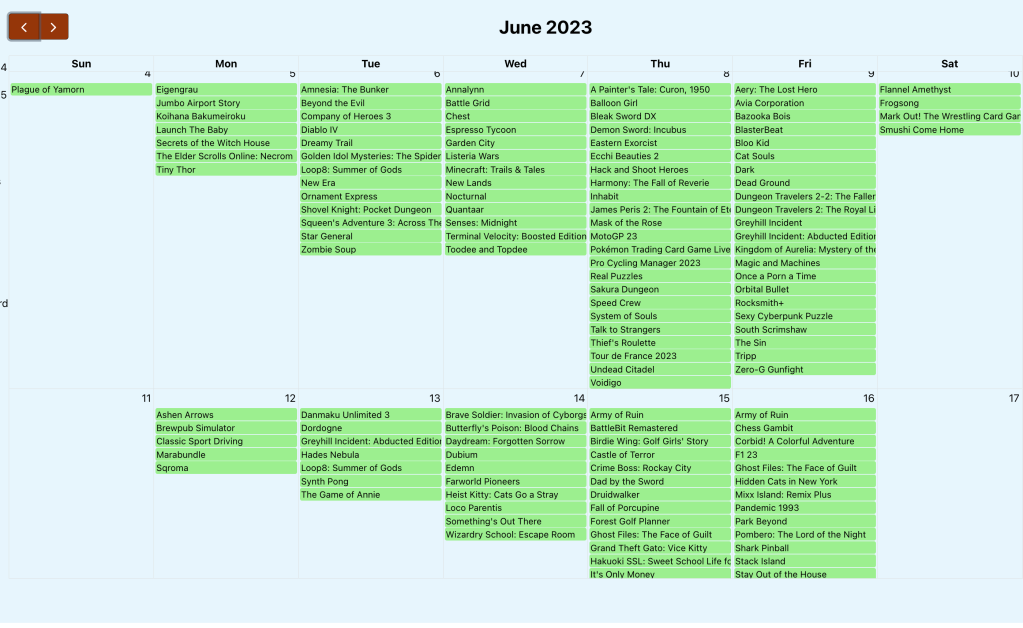
Ideally, I wanted a cutoff with a click to reveal the remainder of games. Fortunately, there are calendar props that allow you to control this, dayMaxEvents and dayMaxEventRows. If you set dayMaxEvents to true, the calendar will control the breakpoint for hiding further events based on window size. This is what the view looks like:
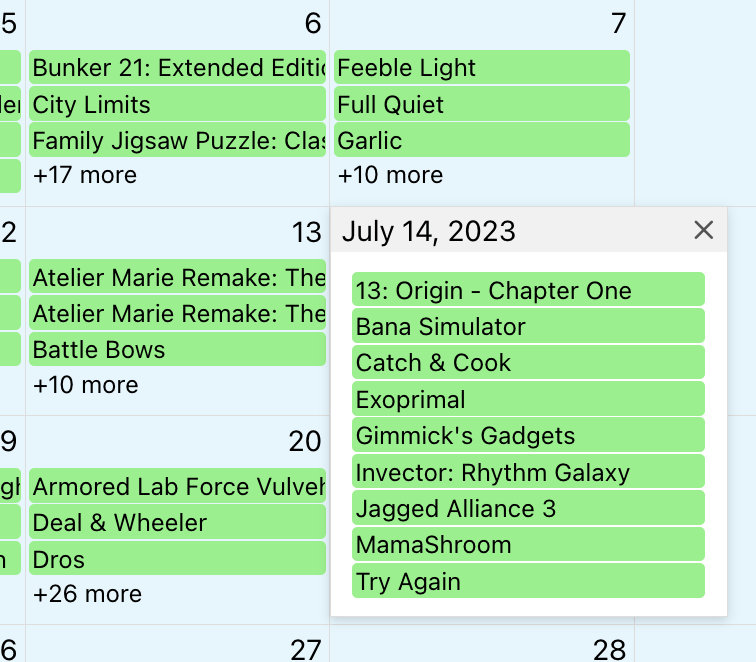
That’s progress, but after looking through the documentation, I couldn’t find a way to control the display when the view more button is clicked.
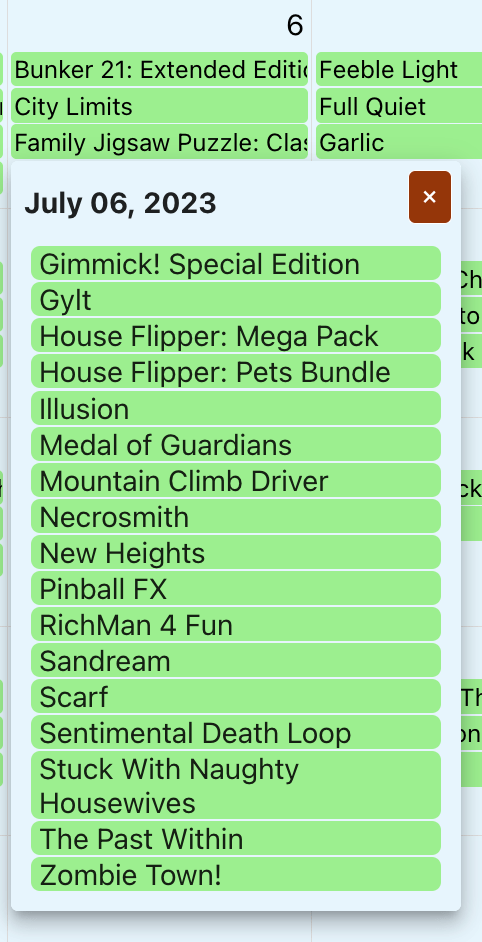
Above is what my solution looks like. My approach for this was to:
- set dayMaxEvents to true
- overriding the FullCalendar popover by passing ‘ ‘ to moreLinkClick
- adding a click listener for show more games
- inflating a custom popover
My click listener took some finessing, but the below gets the games based on the date and uses some js to only populate the hidden games.
useEffect(() => {
    const getHiddenGames = event => {
        if (event.target.className === 'fc-daygrid-more-link fc-more-link') {

            // get and format the date
            const displayedDay = event.target.offsetParent.offsetParent
                .firstChild.textContent
            const twoDigitDay = displayedDay.length === 1
                ? `0${displayedDay}` : displayedDay
            const fullDate = calendarRef.current.calendar.currentData.viewTitle
                .replace(' ', ` ${twoDigitDay}, `)
            const formattedDate = moment(fullDate, "MMM DD, YYYY")
                .format('YYYY-MM-DD');

            // filter events for hidden games
            const hiddenGames = events
                .filter(entry => entry.start === formattedDate)
                .sort(function(a, b) {return a.title.localeCompare(b.title)})
                .slice(-parseInt(event.target.title.split(' ')[1]));
            setSelectedDate(fullDate);
            setHiddenGames(hiddenGames);
            setHiddenGamesAnchorEl(event.target);
        }
    }
    window.addEventListener('click', getHiddenGames);
    return () => window.removeEventListener('click', getHiddenGames);
});
Within the link click event, I’m:
- getting the day of the event click
- ensuring that it is two digits long
- placing the two-digit day into the calendar date (ex. ‘July 2023’ –> ‘July 06, 2023’
- formatting the date (ex. ‘July 06, 2023’ –> ‘2023-07-06’)
- filtering the total list of games by date, sorting that list in alphabetical order, and then returning only the portion of games that are hidden
I’m then passing that list of games to a popover component and using the existing popper component to display detail information.
Wrapping up, some random thoughts around this work
- Positioning the popper element is an art (read: when it opens, sometimes content continues beyond the visible boundaries) I have yet to master
- In an ideal world, I will be prioritizing the display of games based on ‘popularity’ or some other weighted feature. This would likely take significant time to develop, but I think would be a useful feature
I’ve had a lot of fun working on this so far. Next up for functionality, I think I’ll do some research into creating reminders to track upcoming games (google calendar, text message, etc.). Thanks for reading!
 Wayne Codes