For video game releases you’re interested in, a useful feature might be the ability to create reminders for dates that are coming up.
Recently, I’ve been working on a Google Calendar integration to create events and set reminders for upcoming games. I have some things I need to spend more time on, but a happy path flow (with pictures!) is below:
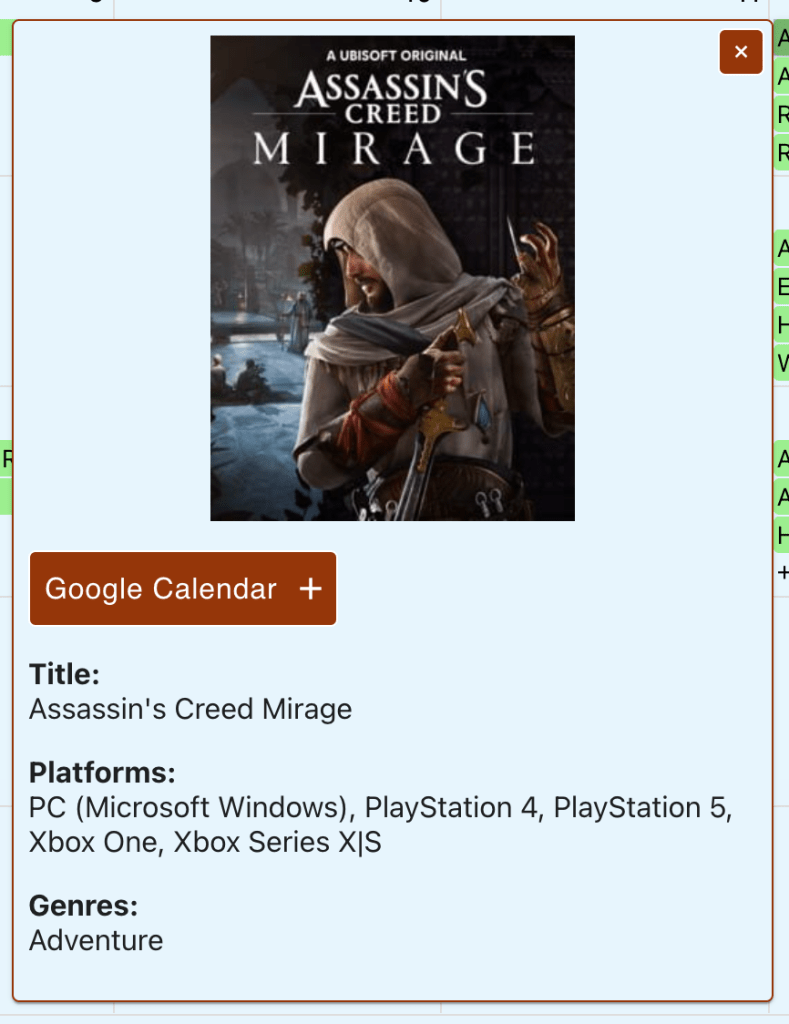
Feature: ‘Google Calendar +’ button is displayed in the game detail card
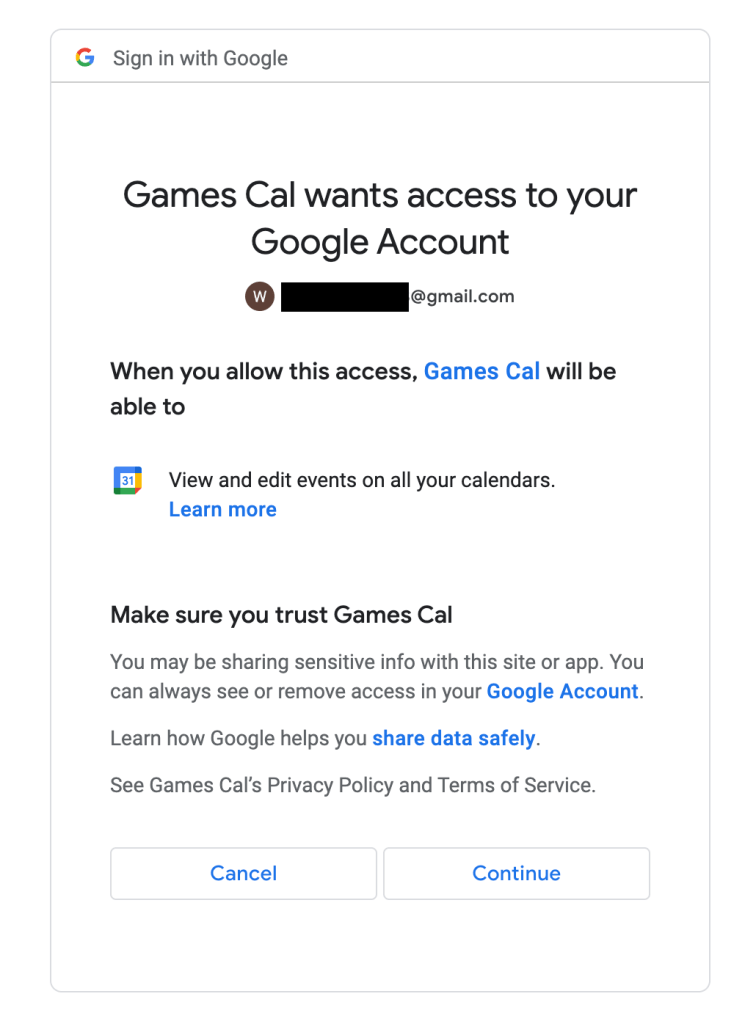
When visiting the site for the first time, you need to authorize permissions for the app to access a personal google calendar
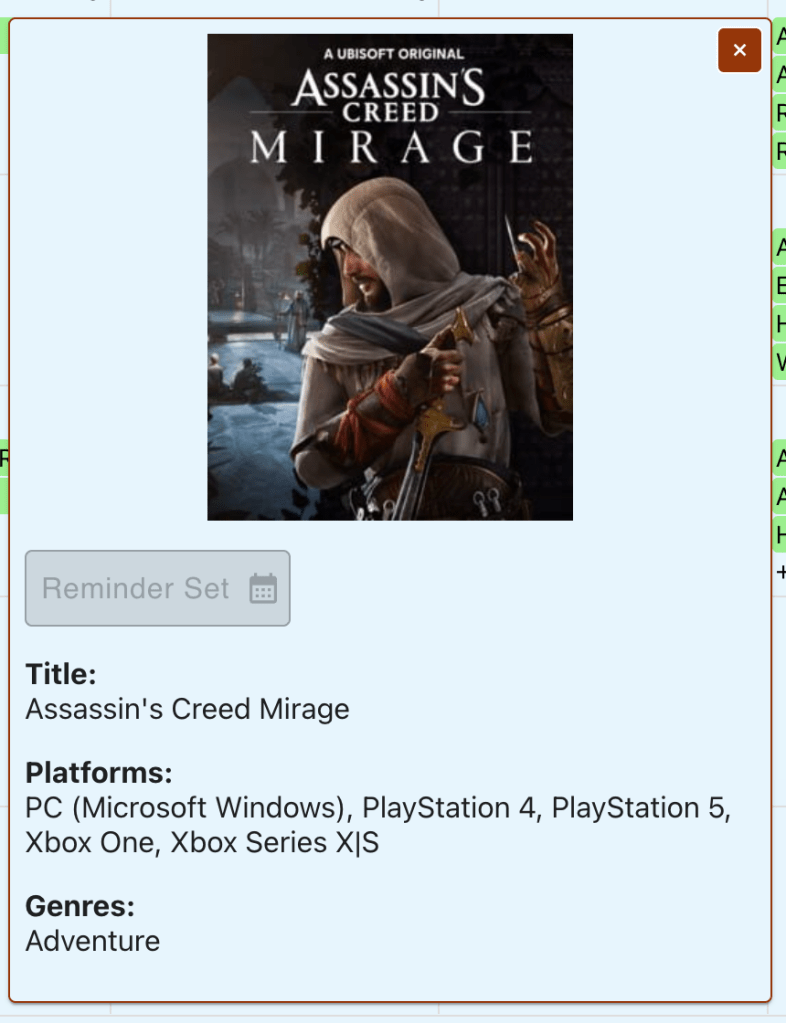
After authorization, if the call to create the event is successful, the button text + icon change and the button disabled
Opening up Google Calendar reveals that the event was successfully created!
The happy path is pretty straightforward, but there are some improvements and additional functionality I want to add to this over time.
Open questions – authentication + authorization
Pickle vs. JSON: Currently, I’m using pickle to serialize credentials, but it’s not human-readable (for a tradeoff of being very fast / efficient). I might switch to JSON even though it comes with a bit more overhead, so I can dig into issues should they arise in this flow (JSON is also widely quite supported so I might want to switch just for that)
Storing tokens: My python calendar service is looking for a credentials file before accessing the Google Calendar API. For more users, the service would have to fetch credentials + permissions for a specific user. In a production app, I would store and retrieve this info from a persistent database and probably avoid storing credentials in localstorage. I’ll likely implement something like this.
Additional event functionality
Customizing Google Calendar reminders: at the moment I am only using default fields, but there’s extensive customization for events
Knowing if a reminder is already set for a specific game: it would be helpful to know if I’ve already created a Google Calendar event reminder for a game. To do this, I could create a reference to the event using (after creation) and tie that set of events to a user. The edge cases could get complicated (ex. user creates event using the app, then deletes the event on google calendar), but I think it could be worthwhile.
Cleanup strategies for game releases that have already passed: it could be a small amount of data with only a few users, but maintaining that data could become expensive with a large set of users. A strategy to, for example, purge the app db references to created events after x period of time (6 months?) might be a way to save space over time.
Next, I think I’ll implement a user model (with PostgreSQL), and a sign-up flow, eventually coming back to build on some feature ideas I’ve laid out above.
I know this post wasn’t code heavy at all, but the next one will contain more code snippets. Thanks for reading.
Last post, I worked on making a call to the IGDB API and rendering a processed response in the UI.
For the past week and a half, I’ve been working on filtering functionality. A philosophy I’ve adopted from some developers I respect “get all the data from the server, then filter on the front end.” (This works for many cases, but where the data set is quite large, tools like graphql can really help)
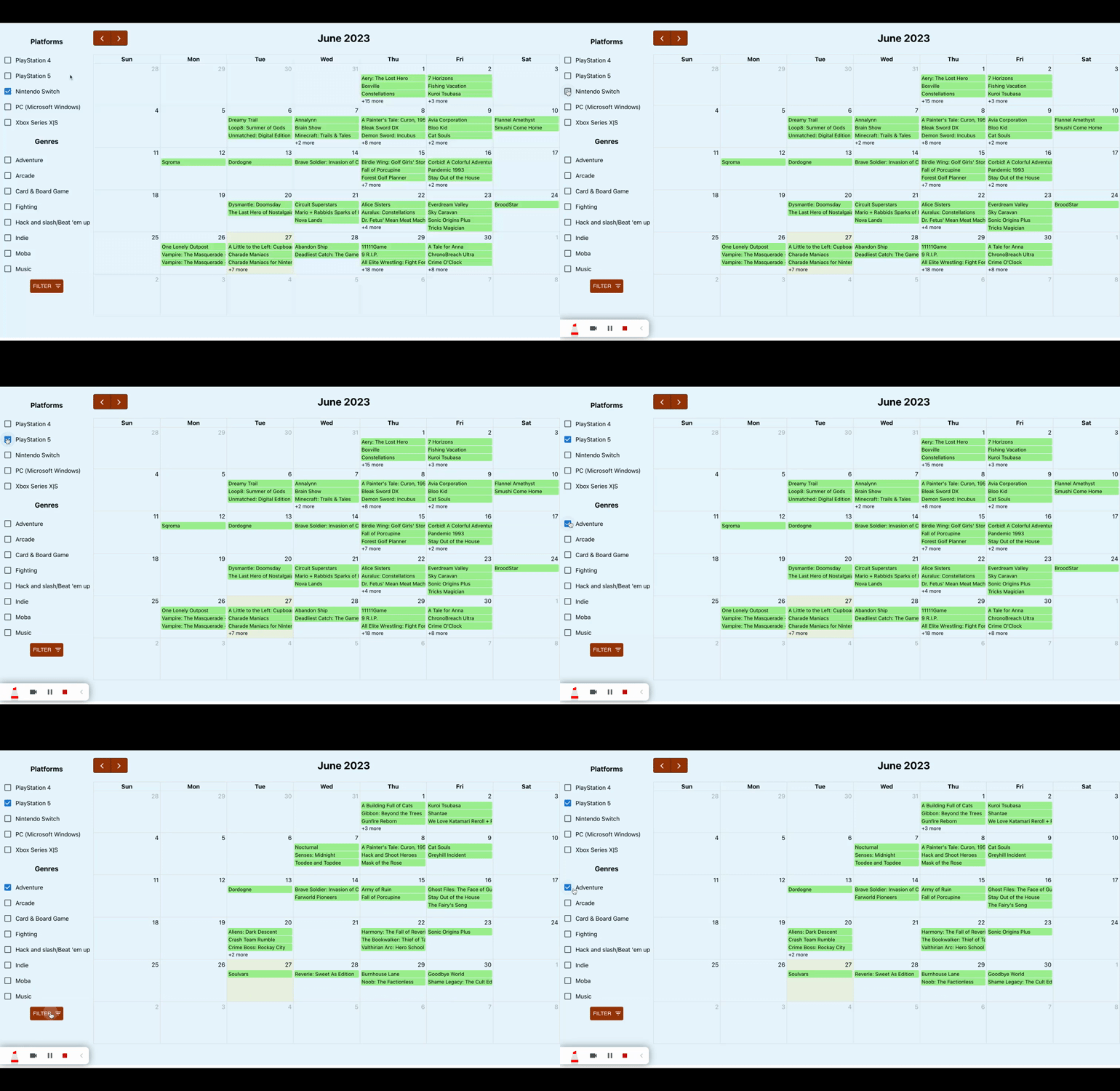
At the moment, I’m accounting for two filter criteria: platform and genre. The gif below shows the results.
Backend
Thankfully I had done groundwork up front when I was working on handling the API response. In an earlier commit, I included handling platforms for a game. From there, adding in genre was fairly straightforward, with one caveat: not all games have genres defined. I only found this out when I was looking through a few example response objects. The genres field is slightly different from the platforms field, where all games have platforms defined.
Here is an example of raw response data (edited to make a point):
I take that response object and map the game to a given date, adding in fields for a list of platforms and a list of genres. Here is what an example of the mapped data looks like:
Python has really powerful methods for working with lists. List comprehension, once you get the hang of the syntax, offers concise statements for what would otherwise be verbose declarations. To deal with nested objects and lists, some that contained ‘null’ data, I started off with nested for loops. Once I got used to the structure, I worked my backwards into list comprehension, eventually producing the following statement:
genres = [genre['name'] for genre in res['genres']] if res.get('genres') else []
Frontend
A user chooses a combination of platforms and/or genres they want to see releases for and when the filter button is clicked, the set of games matching the selected criteria are shown. This is my filtering function:
const applyFilters = game_data => {
// 1. check for filter criteria
    let hasFilters = consoleFilters.length > 0 || genreFilters.length > 0;

// 2. set a variable we're going to manipulate and return
    let filtered_games = game_data;

// 3. do filtering based on selected filter criteria
    if (hasFilters) {
        if (consoleFilters.length > 0 && genreFilters.length > 0) {
            filtered_games = game_data.filter(
                game => game.platforms.some(
                    console => consoleFilters.includes(console)
                )
                && game.genres.some(genre => genreFilters.includes(genre))
            );
        } else if (consoleFilters.length > 0) {
            filtered_games = game_data.filter(
                game => game.platforms.some(
                    platform => consoleFilters.includes(platform)
                ));
        } else {
            filtered_games = game_data.filter(
                game => game.genres.some(
                    genre => genreFilters.includes(genre)
                ));
        }
    }

// 4. return filtered list
    return filtered_games;
}
This function is invoked in two cases, 1. when a user clicks the filter button and 2. when a user goes to the next or previous month. In both cases, I’m calling this on the full list of game data returned from the server call. This ensures that I’m able to return to the full list of games if I’ve already applied multiple filters.
In my next post, I’ll get into hover and click functionality for the games.
Many years ago, when I was working on a team project in a coding bootcamp, I was responsible for handling login functionality (designing the front-end form, sending a login + token request, storing the access token in localstorage, authenticating those requests with the local token).
I barely knew what I was doing at that time, and though I got some things working, I wasn’t able to create a reliable implementation of a login flow. Since then, I’ve been a bit afraid of having signup + authentication be a part of my projects.
Fast forward to today. I’ve been using react for a few years here and there, but am much newer to python (and django). I’m resilient enough to keep pushing, so I wanted to create a web app with some basic features:
Signup functionality
Logged in / logged out experience (reflected with nav bar changes)
Verification email with redirect URL to site
Back end (django + simplejwt)
The basic flow of (this) authentication is:
client requests authorization using login credentials
server verifies credentials, returning a token if successful
client sets authorization header with the returned token for subsequent requests
when a token expires, a refresh token is used to generate another access token and refresh token pair
For authentication and creating a JSON web token, I used the djangorestframework-simplejwt python package. The basic steps include modifying settings.py and adding url paths to access token + refresh logic.
After these steps, I created a superuser, and tested using a combination of the admin portal (localhost:8000/admin) and postman (to set headers, etc.):
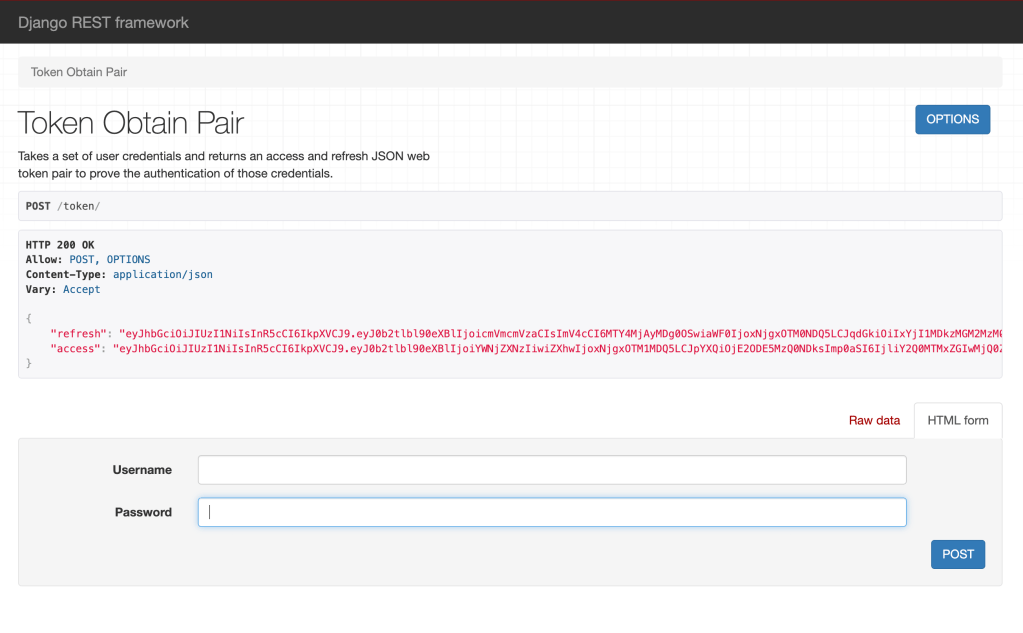
Hit ‘token/’ route using login credentials (in localhost:8000):
This should return an access token and refresh token:
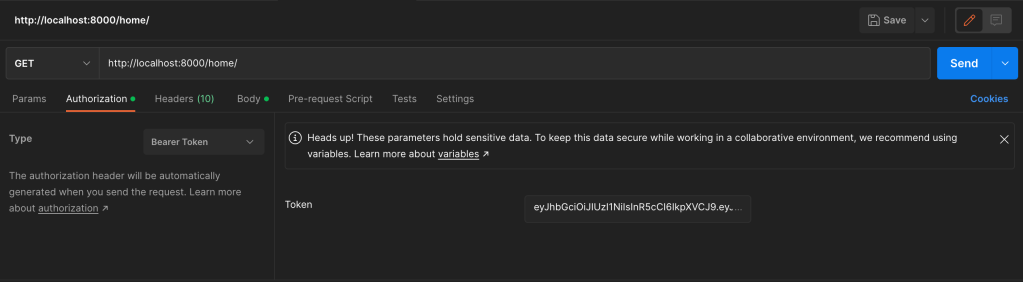
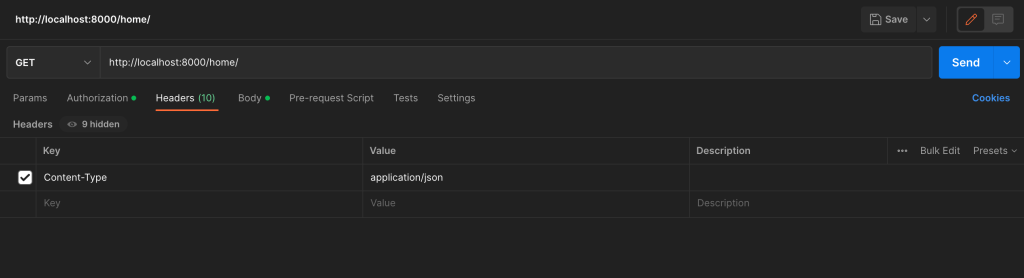
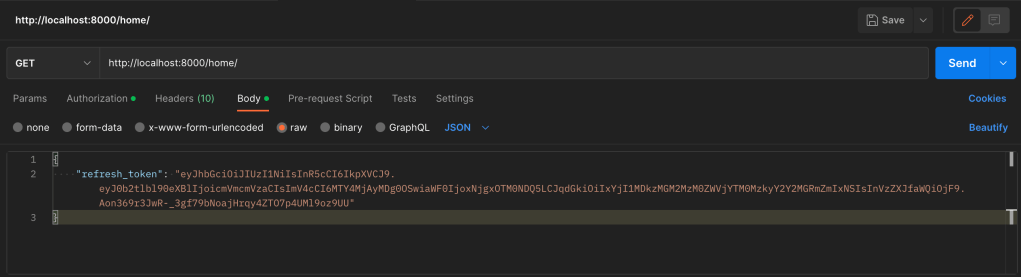
Using the access and refresh values from the response, set appropriate variables in Postman (access token, header, and refresh token in the body).
After that, I hit a route to retrieve logged-in information to make sure that the authenticated endpoint works.
Front end (react)
The front end is made up of 3 main pieces:
Signup
Login
Logged-in view
This basic flow works as described below.
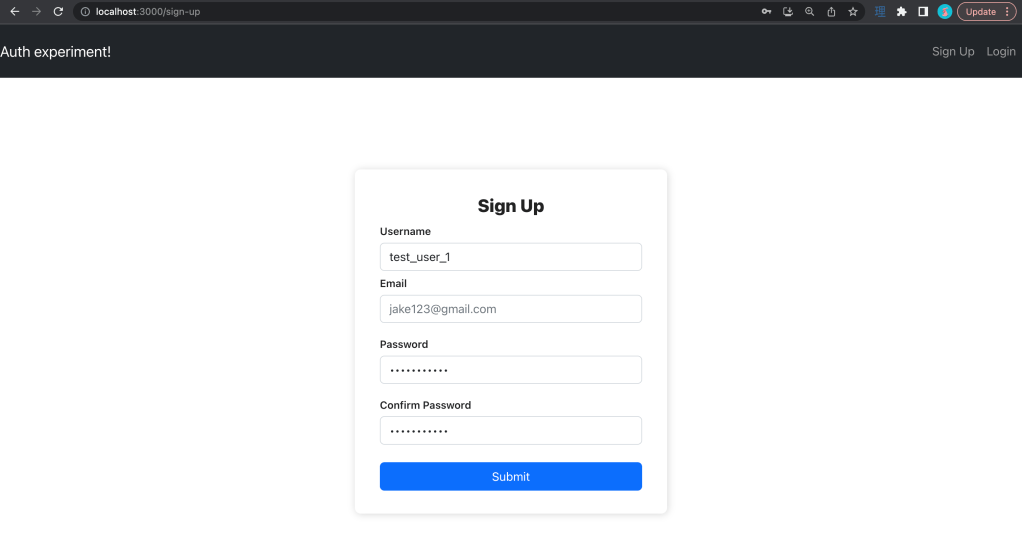
A user goes through a sign-up page to sign up for an account.
Upon form submission, the user is redirected to the login page with an account verification/activation email sent to the email from the signup form (see email implementation help in sources)
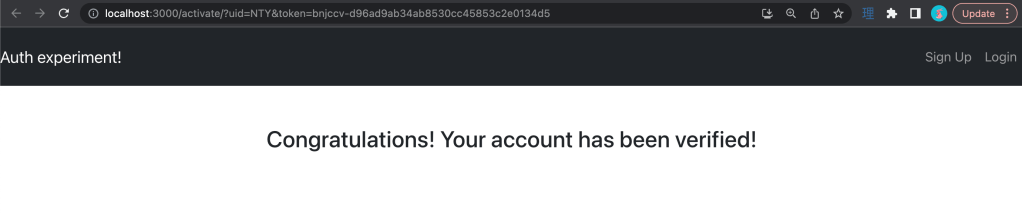
In an email, a user receives an activation link. When clicked, the link takes them to the site and ‘activates’ their account(in other words, is_active on the user model is turned to true)
Once an account is ‘activated’ the user can log in. When a user is logged in, they’re taken to a page where the navigation appears different (below).
The signup flow could be orchestrated in many ways, but in this project, I’ve chosen to explicitly turn off the is_active flag on the user model until the user clicks on the redirect link from the email.
A few things to call out
Local storage: so right now, I’m taking the response from the login call and setting a key-value pair for access + refresh token values. I’m changing the navigation bar options based on whether or not the access token is present (and using that token to authenticate subsequent requests). I also have an axios interceptor that checks for expired tokens and tries to access a ‘token/refresh’ endpoint to get a new set of tokens.
Activation redirects: in production, I’d likely use a combination of gunicorn and nginx to serve as a WSGI server + reverse proxy , but in my localhost example, I’m explicitly hardcoding the url. I had to do some finagling to add parameters to the url. Separately, as an additional feature, I could add in logic to handle cases where the link expires or the user somehow lost the first email (perhaps I will in the future).
Signup form validation: as of this writing, I don’t currently have validation on the signup inputs (username, email, and password). There are many libraries that handle this, but this wasn’t in scope for me to get signup + authentication up and running (though, if I decide to work further on this project, I’ll most likely build that in form validation)
Email server: I didn’t know this, but the django.core.mail package contains logic to fire off emails. It was pretty straightforward to configure and use! I was surprised how easy it was to configure, but glad I didn’t have to spend a long time figuring it out. There are a few links around emails in the sources if you’re interested.
Some final thoughts
I’m glad that I could get a straightforward implementation of a basic authentication flow up and running. I think I’ll incorporate elements of this project into other projects going forward.
Django comes with some pretty robust user creation and authentication packages out of the box. I thought a lot about creating my own user models or extending the existing user model. I put a couple of sources down below that helped me think about my options.





 Wayne Codes